Warehouse Mobility Platform
Everything a warehouse floor needs, and nothing you have to phone home for.
Guided warehouse flows, validated in one place, posted into your ERP with full attribution — running on a single server you control.
Overview
Three surfaces, one brain
Warehouse staff work from a handheld or a browser. A central core server validates every transaction and posts it to your ERP — over its REST APIs, or straight into a SQL database.
Android handhelds
An Android app with hardware barcode capture, hardware-key friendly, glove-sized targets and an offline queue for when the Wi-Fi drops mid-aisle.
Any browser
The same flows on a desktop, a laptop, or the browser on the handheld itself. Nothing to install, no separate build — just a URL on the network.
One core server
All validation, queuing, access control and ERP integration in one place, behind TLS, on infrastructure you control and can back up like anything else.
The flows
Modules, ready to run
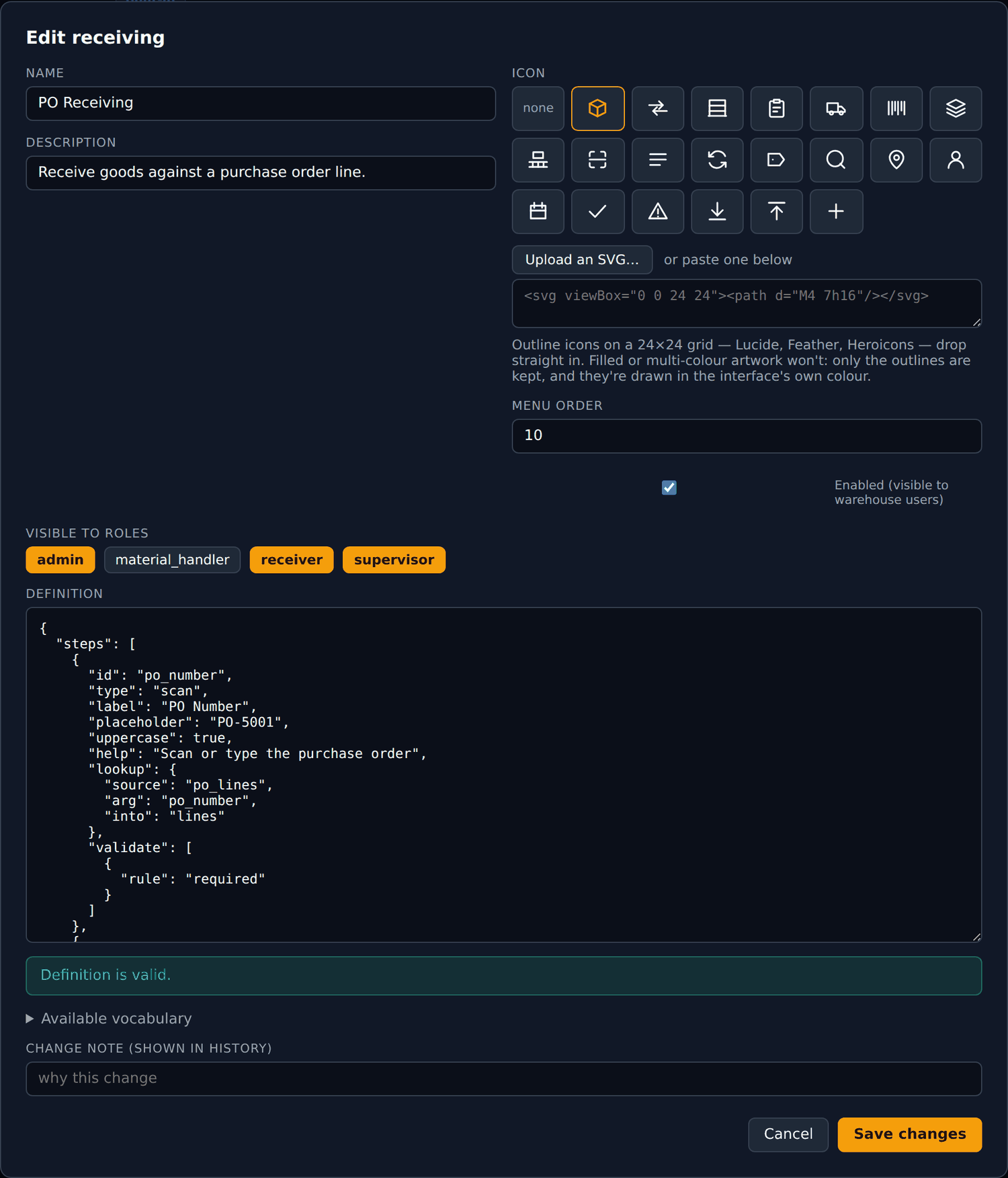
Each one is a short, guided sequence, and these are only the ones that ship in the box. New modules are added, and steps reordered or reworded, from the console without touching the server.
PO Receiving
7 steps- 1 Scan or key the PO
- 2 Pick the open line
- 3 Scan the item to verify
- 4 Quantity
- 5 Lot number
- 6 Receiving subinventory
- 7 Locator, then submit
Only open lines appear, each carrying the quantity still outstanding. Step 3 exists so the operator confirms the goods in hand are the goods on the line — the commonest and costliest receiving error.
Inventory Transfer
7 steps- 1 Scan item
- 2 Quantity
- 3 Lot, if required
- 4 From subinventory
- 5 From locator
- 6 To subinventory
- 7 Submitted and posted
Both locations are checked against the cached catalogue rather than typed freehand, and a transfer that ends where it started is refused outright.
Putaway
5 steps- 1 Scan item
- 2 Quantity
- 3 Suggested locator
- 4 Subinventory
- 5 Posted
The destination step arrives pre-filled with a suggested storage locator. The operator scans over it if the shelf is full — the suggestion is guidance, never a constraint.
Cycle Count
5 steps- 1 Scan item
- 2 Counted quantity
- 3 Subinventory
- 4 Locator
- 5 Posted
Defined in the console in minutes, with no source file touched and no service restarted. It is the proof that flows are definitions rather than code.
Architecture
How the pieces fit together
Clients are untrusted by design. A tampered handheld, a replayed request and a direct API call all land on the same validation pass.
Request path
7 gates between a scan and a posted transaction
-
01
TLS
HAProxy terminates TLS and forwards the real client IP
-
02
Rate limit
120 requests a minute, keyed on the real client IP, not the proxy
-
03
Identity
15-minute access token, rotating refresh tokens behind it
-
04
Authorisation
Role checked on the endpoint, and again on the module
-
05
Validation
Every rule in the module definition re-run server-side
-
06
Integrity
Client-generated idempotency key, enforced unique in the queue
-
07
Evidence
Transaction and audit entry written before anything is posted onward
The architectural centre
Modules are data, not code
A warehouse module is a row in a table: its steps, its validation rules, its lookups, the payload it posts, and the roles allowed to run it. The core provides a runtime that executes definitions — so changing a flow never means changing the server.
Coded modules
- Edit code on the server
- Rebuild the image
- Redeploy and restart
- The warehouse stops while you find out
Declarative modules
- Edit in the admin console
- Validated the moment you save
- Live on the next scan
- Any prior version restorable in one click
Every save is a production change, so every save is a version carrying the note the editor wrote. A restore is itself versioned, and built-in modules can always be reset to as-shipped.
Evidence, not assurances
Who connected, from where, on what device, and exactly what they posted
Recoverable months later — the difference between an incident you can explain and one you cannot.
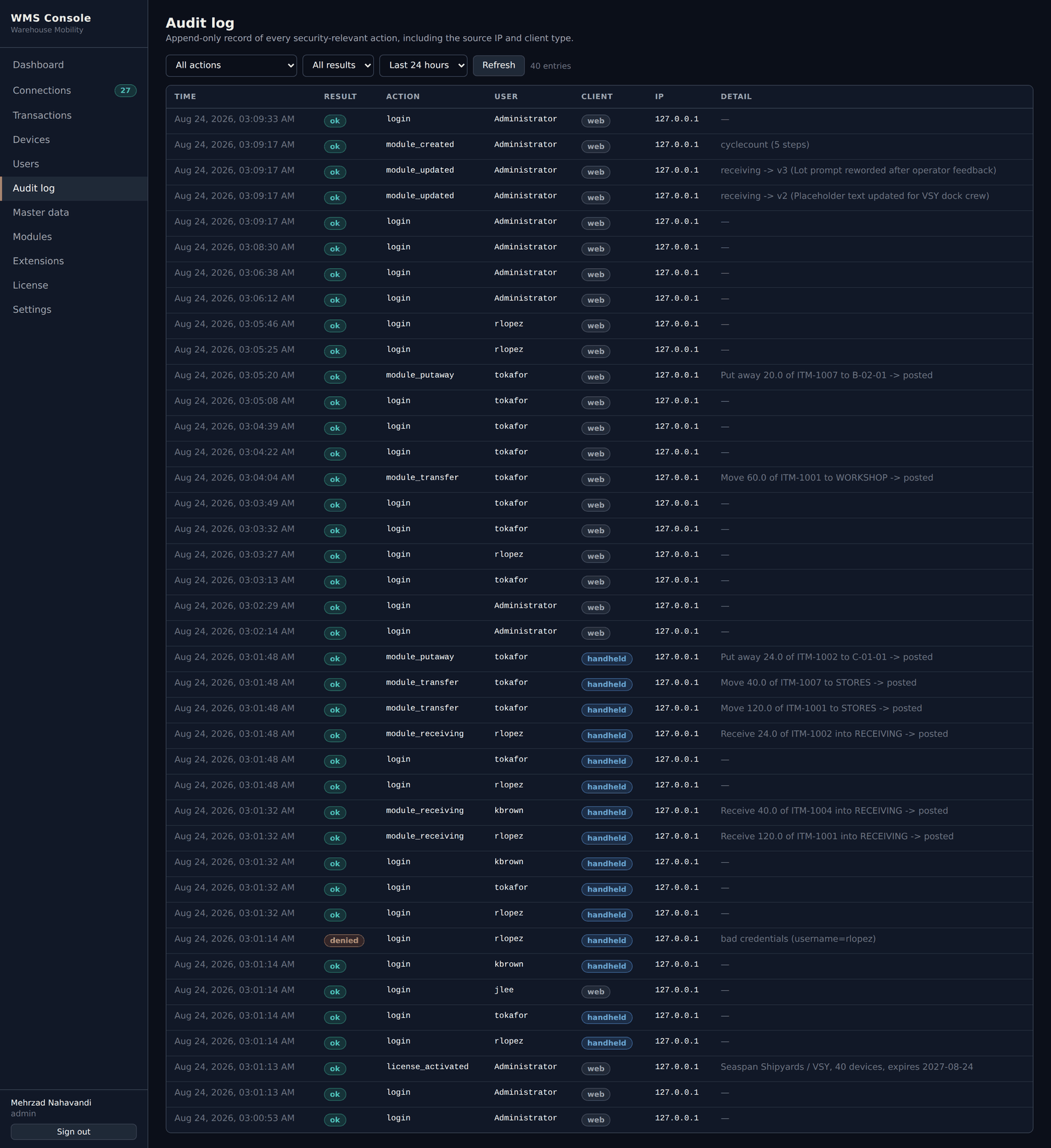
The audit log
Append-only. 31 distinct action types are written today, each with the actor, the device, the originating IP, the client type and the outcome.
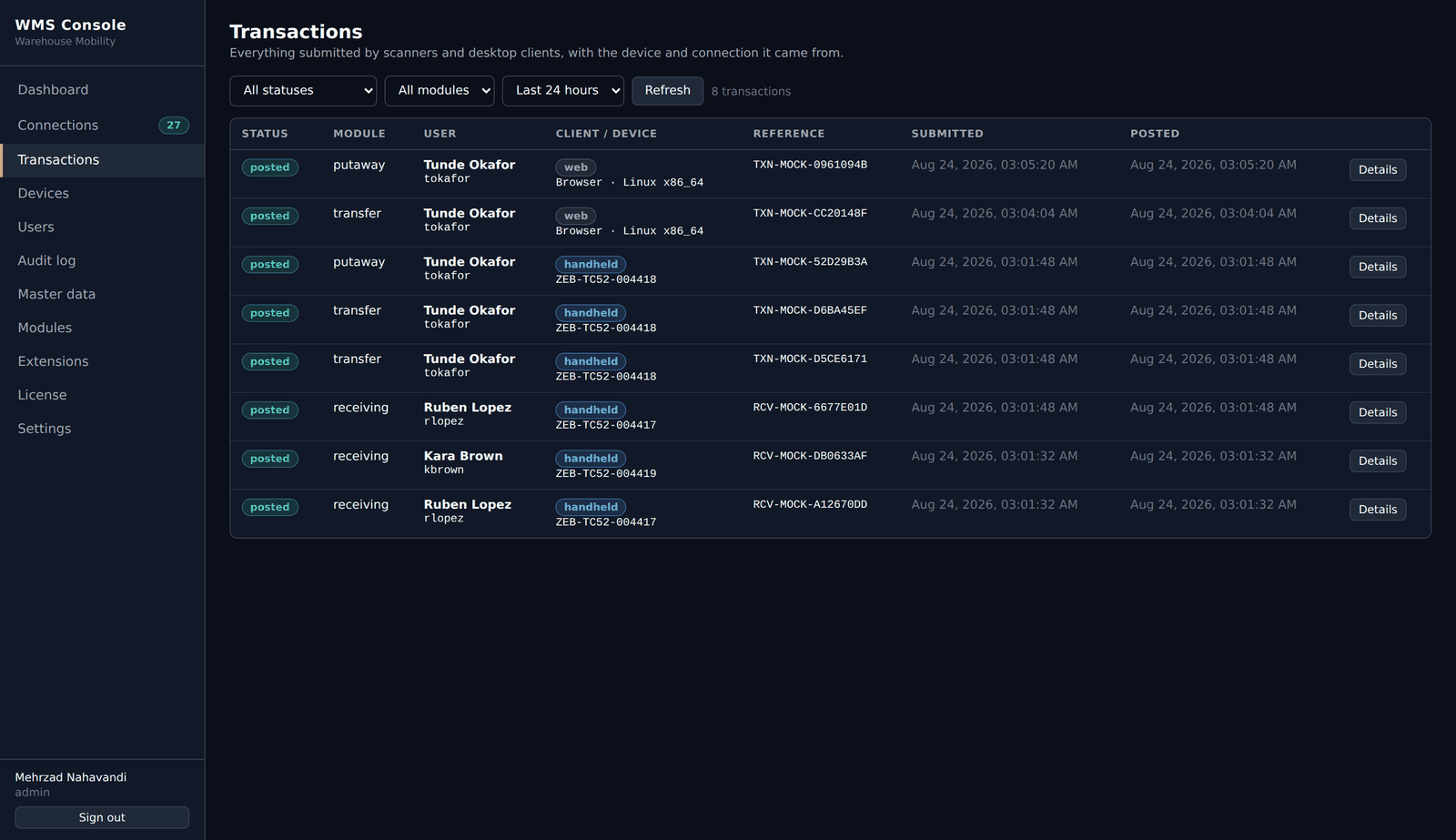
The transaction log
Every row carries the user, device serial, client type and session, the module and full payload, the outcome, the backend reference, attempt count and timestamps.
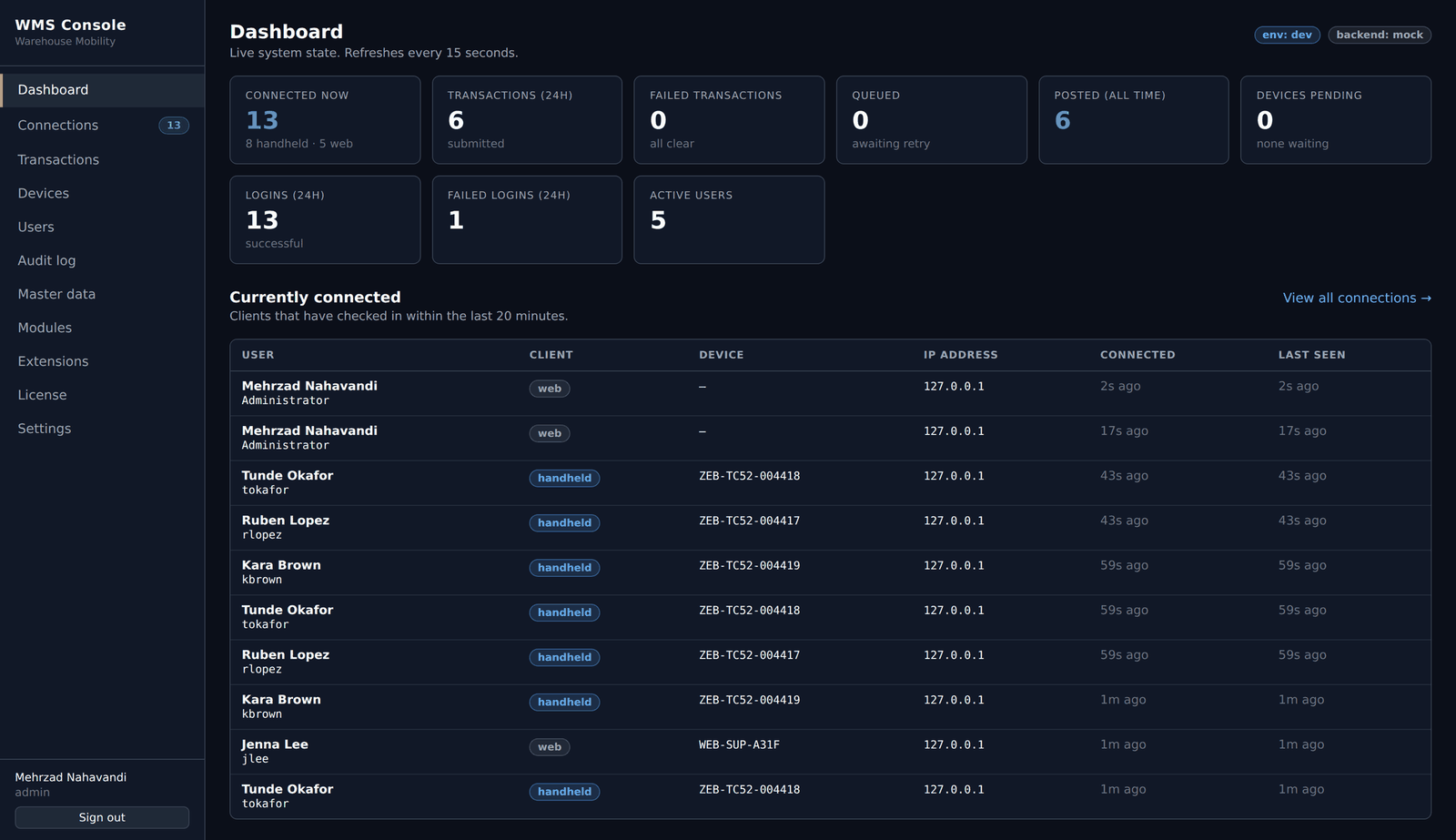
Live connections
One row per sign-in, refreshed every fifteen seconds. An administrator can end any session — the token family is revoked at once — and every closed session records why it ended.
Getting it running
Five steps, one afternoon
A small footprint by design. The application registers no Windows services of its own, and everything after the install is configured from the browser.
- 01
Bring a VM
Linux host for the containers, plus SQL Server on its own host or VM. SQL Server Express is enough to start.
- 02
Start the stack
Docker Compose brings up the core API and HAProxy. The admin console and warehouse client are inside the API image — nothing separate to deploy or patch.
- 03
Run the wizard
A first-run wizard in the browser connects the database and creates the first administrator. No config files to hand-edit.
- 04
Point it at a backend
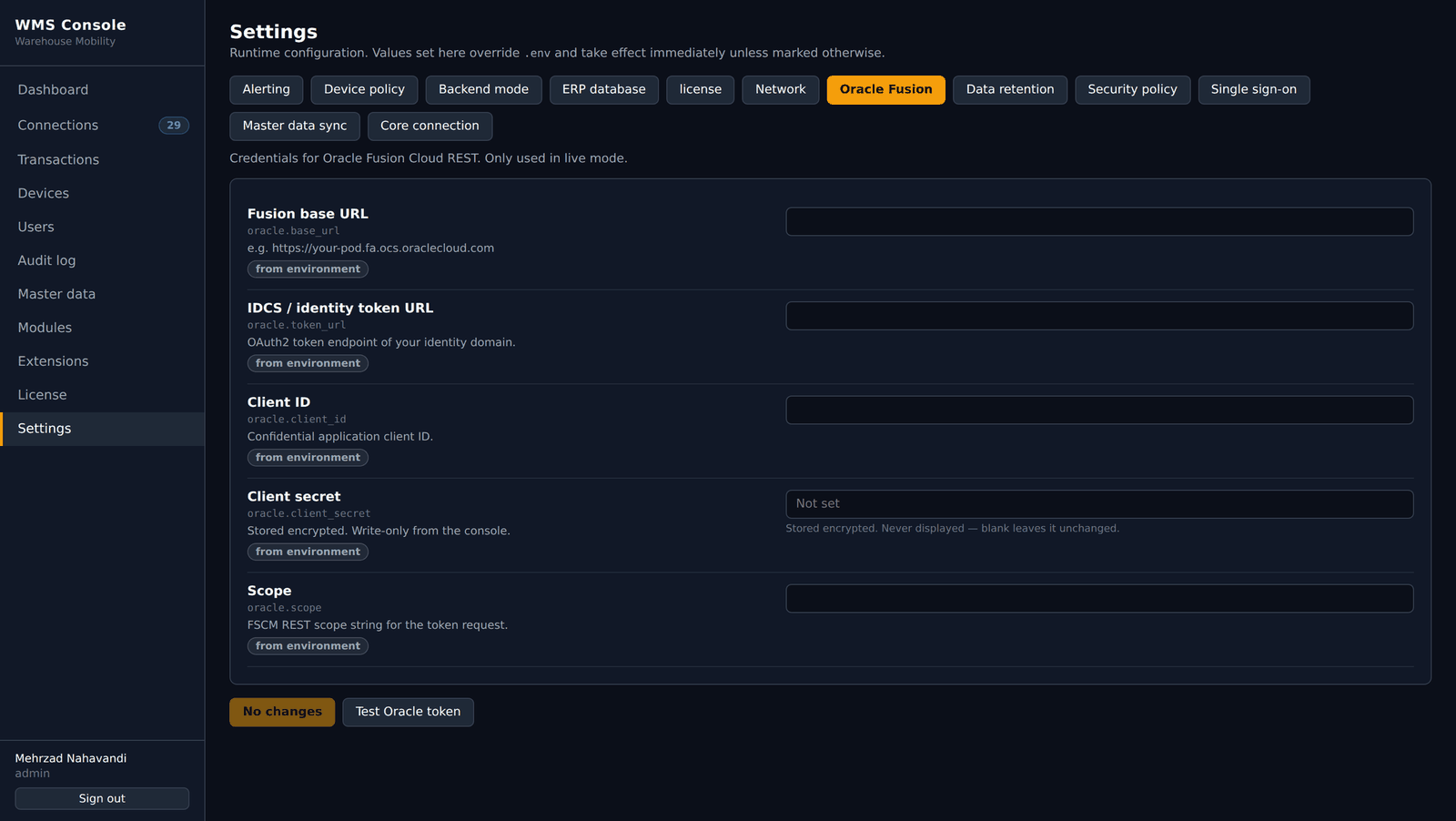
Your ERP over REST, its SQL database, or mock — one setting, with a live connection test next to it.
- 05
Enrol and go
Install the APK on the scanners, approve the devices, add users with roles. The floor can start scanning the same day.
What you need
A Linux VM, a SQL Server instance, a TLS certificate, and the scanners you already own.
What you don't
No MDM rollout, no database access to the ERP, no outbound internet on the warehouse network.
Upgrades
Pull a new image and restart. The database migrates itself with Alembic; module definitions are untouched.
Access model
Roles and privileges, enforced twice
A user can hold several roles and privileges, and access is the combination. The roles below are the built-in starting set, not a limit. The module list is filtered server-side before it reaches the device — but hiding is not the control: a crafted request to a module the user may not run is refused by the same check. A role change signs their sessions out at once.
- admin
- Everything — users, settings, connections, module editing, license activation
- supervisor
- Oversight without infrastructure — devices, sessions, transactions, audit, master data
- receiver
- Receiving against a purchase order, plus transfer, putaway and cycle count
- material handler
- Transfer, putaway and cycle count — no receiving
Technology
Boring, in the way infrastructure should be
Nothing here is a niche framework a future maintainer will struggle to hire for.
- Core server
- Python · FastAPI · SQLAlchemy · Alembic
- Security
- Argon2id hashing · JWT · rotating refresh tokens with theft detection
- Web clients
- React · TypeScript · Vite — admin console and warehouse client
- Edge
- Docker · HAProxy, TLS on 443, container runs non-root
- Platform database
- Microsoft SQL Server on its own host or VM — never containerised
- Backend of record
- ERP REST APIs, including Oracle Fusion Cloud · ERP SQL databases · mock
- Scanner
- Android app · hardware barcode scanning · offline queue
Licensing
One license, one site, one core server
A license carries a connection cap and an expiry date, and is signed by the vendor. It is verified offline, so an isolated warehouse network is not a problem.
Per site
A yard with two warehouses holds two licenses — one per core server, each with its own cap and term.
Connection cap
Counts connections open at the same time, not devices you own. Signing out frees a seat at once.
Annual term
One year by default, with a warning window and a grace period built into every license issued.
Verified offline
No phone-home. The application carries only the public half of the signing key — it can verify, never mint.
Nothing stops without warning and nothing is ever deleted. A license moves from valid, to expiring with an amber banner in the app, to a grace period with a red banner, and only then does the warehouse app stop — administrators can still sign in to renew.
Always improving
Built alongside the people who use it
We work closely with our customers, and their requirements shape what we build next. Every release aims to make the floor faster and the data more dependable.
Security is part of that conversation from the start, so the platform keeps pace with your policies as well as your processes.
Thirty minutes is enough to judge it
A demo runs the guided flows on a handheld, shows the console behind them, and ends with a straight answer about what it would take in your environment.